The videos and peer pressure have finally got to me.
Since really getting into computers back in 2020, I’ve swallowed a good number of tech pills. Package managers, tiling window managers, home servers, and Linux in general, but I’ve never really put much money towards it outside of my devices which are each getting well up in age. Sure, my 3D printer was a definite investment, however, it has a much clearer utility and has absolutely been handy for several projects. This is the first time I’ve gotten something almost solely for the aesthetics.
I got a mechanical split keyboard.
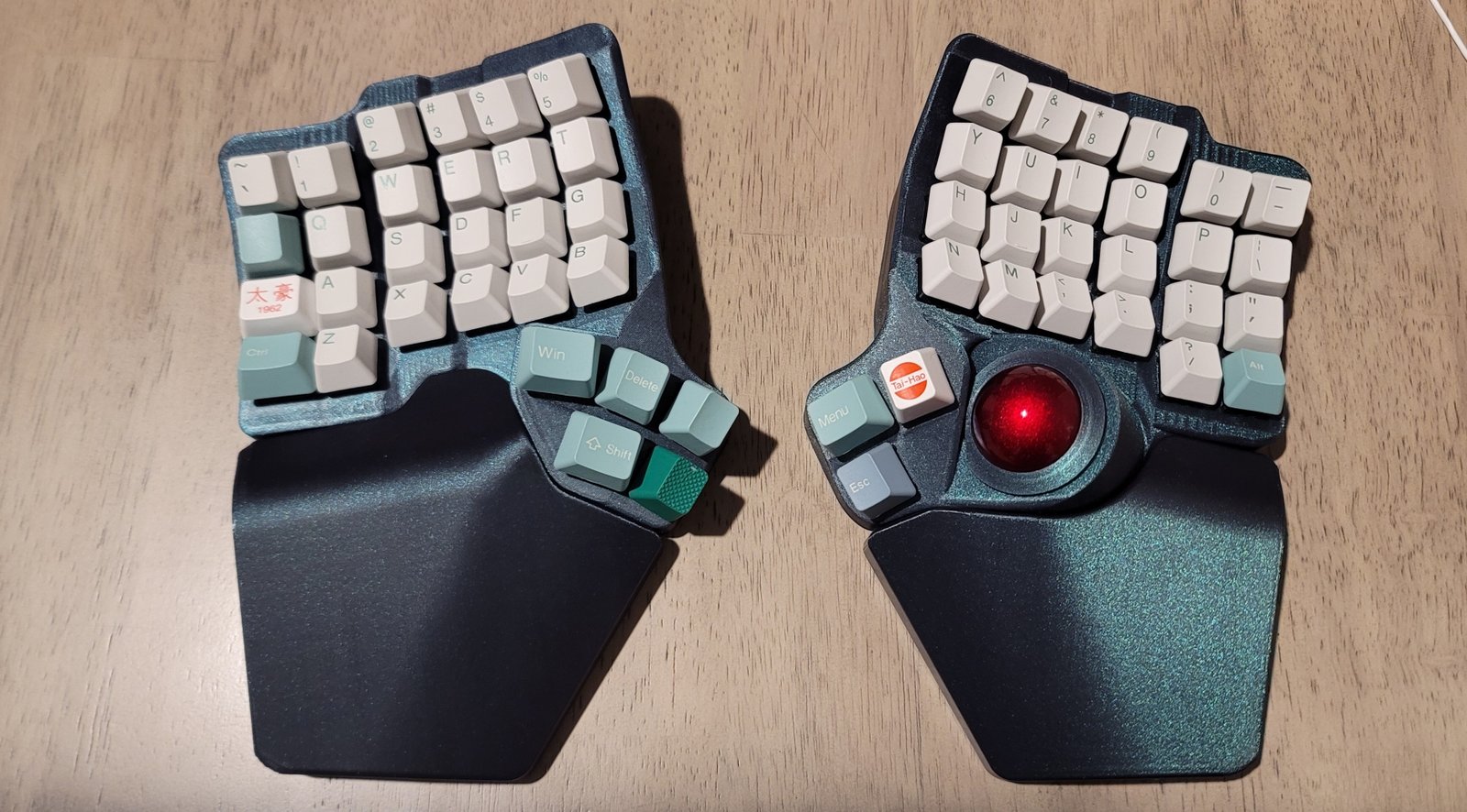
This is Bastard Keyboard Charybdis Mk 2. A stylish, #3D printed keyboard with a trackball! The trackball was absolutely my favorite part about the concept. Being able to move around my entire desktop while never having to leave the keyboard was exactly what got me to look into #neovim in the first place. Being able to extend that functionality into everything just sounded like the natural progression of things.
The whole concept behind one has been so cool to think about. A keyboard that I could program to do whatever I wanted and that could be tailored and optimized to work with me? One that could be split so that I can space out my hands and actually use my arm rests while I’m typing? What’s there not to love about it?
Mostly, the price and necessity of it.
Most of these kinds of keyboards start in the range of $250 and only go up depending on what they do and what they include: the Charybdis, in this case, is over $400, excluding shipping. Not to mention the fact that I don’t have any pain or discomfort from my current setup, nor does my job have me typing day in and day out. I’ve kind of just put this on the back burner and focused my finances on more practical means.
So why did I cave in?
Honestly, a little of the reasons I mentioned. For sometime time, I’ve been having an increasing strain in my back, and I’ve been thinking one of the first ways I might be able to improve things would be by adjusting my typing habits to improve my posture. I’ve also been growing more and more frustrated with having to use my mouse to just travel between windows on my work computer and other devices. With how much I’ve really put into building my preferred workflow, it’s begun to get increasingly more difficult to obstruct away from it.
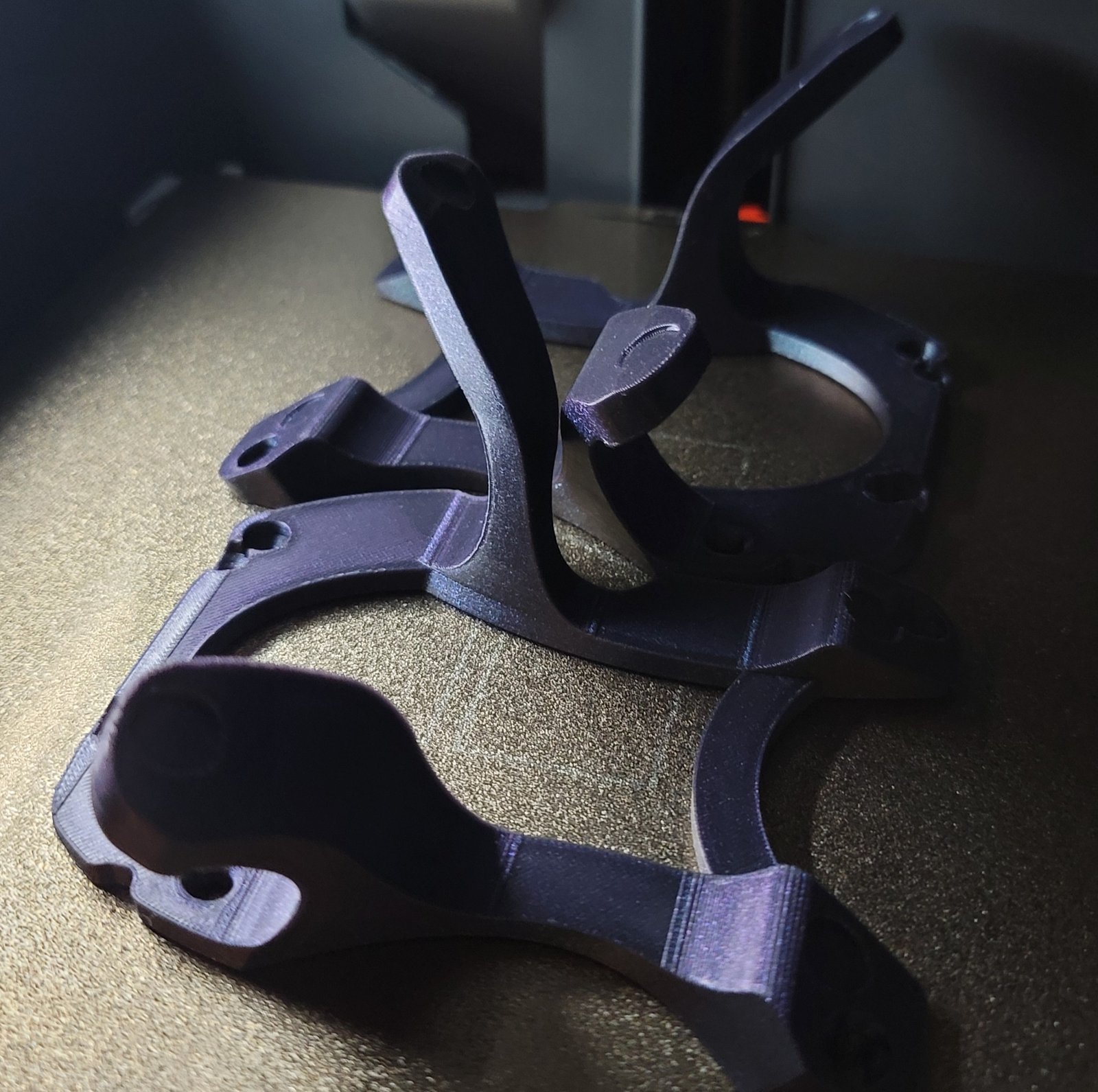
It’s also made a great project to really expand my know how with printing, wiring, and soldering. After putting together the dock for my PlayStation Vita, the idea of a similar but much more elaborate project has just been salivating to think of.
There’s still a lot of adjusting to do now that I’m committing to it. It hasn’t been drastically hard as some have made it out to be. I was typing about 76 WPM prior to changing and now I’m scoring about 52 WPM. There’s also a number of things I’ve still have yet to account for when setting up my layout. For instance, when I hopped onto Blender to work on some of my prints after swapping keyboards, I realized that I had put the Alt key on my right hand, the same had I was using for the mouse. Without that key, I couldn’t rotate my camera without relying on just the number pad and that would have been awful.
Gaming is another thing that was funny. As you might have seen from the image up above, the keys have an orthogonal layout, meaning they better contort to my hands. However, this also means that the WASD keys are radically shifted from each other. This was very awkward and uncomfortable to use, so I had to come up with a work around.
I have a daemon on my computer called keyd that lets me reconfigure my key layout similar to Razor Synapse or Corsair iCue, but for any keyboard. With it, I made two modes: my regular one and one for gaming. The gaming one would be laid out the same way, but all shifted one key to the right. This means WASD was shifted over to ESDF and T, G, and B were moved back to the very left. I’ve got that whole configuration here:
[ids]

*

[main]

capslock = overload(control, esc)
scrolllock = toggle(gaming)

[gaming]
scrolllock = toggle(main)
leftmeta = left
delete = right

# Gaming remaps - only what changes
` = escape
q = tab
w = q
e = w
r = e
t = r
a = leftshift
s = a
d = s
f = d
g = f
z = leftcontrol
x = z
c = x
v = c
b = v
tab = t
escape = g
leftcontrol = b
It may look disgusting, but it has honestly worked way better than it should have and feels all natural. My base functions are all the same. The only hard part would be remembering all the keys I moved to the very left, but I feel that’ll come mostly with practice.
I’ve still got a lot of getting used to to do and I hardly know how exactly this will be affecting my workload. I’m sure I’ll be finding out real soon. Let’s just hope that same stubbornness that kept me on a normal keyboard for as long as it had will keep me using this one just as long.
I at least need to get my worth out it 😅.
A bit of a tangent, but I’m starting to really like how the website is looking. This is the first article to take a good snap shot of all the styling and I think it’s really coming together nicely. I’m obviously going to find more things that need to change, but I think the basic layout is right about where it needs to be.